Introduction to Audio Editing Software
Audio editing software plays a pivotal role in the digital landscape, catering to a wide array of users including podcasters, musicians, and content creators. These tools are designed to manipulate sound recordings by allowing users to cut, modify, and enhance audio files according to their specific needs. The importance of audio editing software cannot be overstated, as it significantly contributes to the quality of audio productions, whether they involve music, spoken word, or sound effects.
One of the primary use cases for audio editing tools is in podcast creation. Podcasters rely on these applications to edit their recordings, remove extraneous noise, and ensure clear audio delivery. This not only improves the listener’s experience but also enhances the professional quality of the podcast. Similarly, musicians utilize audio editing software to mix tracks, edit melodies, and perfect their recordings before distribution. Crafting high-quality audio is essential for both creative expression and commercial success in the music industry.
In addition to supporting musicians and podcasters, audio editing software benefits content creators who produce video or multimedia content. By integrating polished audio into their projects, these creators elevate the overall production value of their work. Enhanced audio quality helps to engage audiences more effectively, making sound editing an indispensable element of the creative process.
Focusing on free options for Windows users further democratizes access to these powerful tools. Many individuals may be initially deterred by the cost of premium audio editing software, but a variety of high-quality free alternatives exists. By exploring these accessible programs, users can leverage the same capabilities typically offered by paid software, allowing anyone with a Windows computer to delve into the world of audio editing, regardless of their budget or experience level.
Audacity: The Open-Source Giant
Audacity stands out as a leading free audio editing software for Windows, celebrated for its robust features and user-friendly interface. As an open-source project, it boasts a large and active community, contributing to its development and providing a wealth of plugins and support. This software is well-suited for both novices and experienced users, showcasing its versatility in handling diverse audio editing tasks.
One of the prime features of Audacity is its multi-track editing capability. Users can effortlessly layer multiple audio tracks, allowing for intricate sound production and unique creativity. The software supports a multitude of audio formats including WAV, AIFF, MP3, and OGG, making it adaptable for various projects. This flexibility ensures that users can import and export their audio seamlessly, a key component for audio editing applications.
In terms of effects, Audacity does not disappoint. It provides a comprehensive array of built-in tools and effects, including equalization, compression, and reverb, allowing users to modify their audio to achieve the desired quality. Moreover, the community offers additional plugins that extend these capabilities even further, enabling users to execute both simple tasks and complex audio manipulations.
Compatibility is another strong suit of Audacity, as it runs smoothly on Windows operating systems. Its performance across different Windows versions ensures that a wide range of users can utilize its extensive features without any technical difficulties. This combination of capabilities positions Audacity as an ideal choice for individuals striving to accomplish professional audio editing while maintaining a zero-cost budget.
WavePad: A Versatile Audio Editor
WavePad is an invaluable tool for both amateur and professional audio editing needs, offering a versatile platform that adapts seamlessly to various user requirements. One of the key aspects of WavePad is its easy-to-use interface, which simplifies the editing process for beginners while still catering to the advanced functionalities sought by professionals. The intuitive layout enables users to navigate through the software with ease, ensuring a smooth audio editing experience.
Another significant feature of WavePad is its extensive library of audio effects. Users can apply sound effects such as echo, reverb, and noise reduction easily, enhancing the overall quality of audio files. This flexibility allows for creative experimentation, making it an excellent choice for those looking to polish their audio projects. Additionally, WavePad supports a wide range of file formats, including WAV, MP3, and AIFF, making it compatible with various audio sources and simplifying the process of importing and exporting files.
For those interested in precision, WavePad also includes sound analysis tools that provide insights into audio performance. Features like frequency analysis enable users to visualize sound waves, making it easier to identify areas for improvement or adjustment. This analytical aspect appeals to technical users who seek to refine their audio to meet specific standards.
While WavePad offers a robust free version that includes many of its core features, users can also opt for the premium version to unlock additional tools and capabilities. This pricing structure ensures that users can choose the options that best suit their editing needs and budgets. Overall, WavePad presents a versatile solution for anyone looking to delve into audio editing, regardless of skill level.
Ocenaudio: A User-Friendly Choice
Ocenaudio stands out as a reliable audio editing software that caters to users of all skill levels. Its intuitive interface is designed with simplicity in mind, making it an appealing choice for beginners who may feel overwhelmed by more complex audio editing programs. Despite its user-friendly nature, Ocenaudio does not compromise on functionality, offering an impressive range of features that can benefit experienced users as well.
One of the key characteristics of Ocenaudio is its real-time effects previewing. This feature allows users to apply various audio effects and instantly hear the results before committing to the changes. The ability to manipulate audio in real-time enhances the editing workflow, providing a seamless experience. Additionally, Ocenaudio supports a wide array of audio formats, making it convenient for users to work with diverse audio files without the need for conversion.
Another aspect that enhances Ocenaudio’s appeal is its extensive selection of built-in effects, such as equalization, reverb, and more. This selection provides users with the tools necessary to refine their audio projects efficiently. Moreover, the software’s functionality is bolstered by its compatibility with VST plugins, further expanding its audio processing capabilities. Users can easily enhance their projects, adapting the program to suit their specific needs.
Reviews and user feedback consistently highlight Ocenaudio’s performance and reliability on Windows operating systems. Many users commend its fast loading times, responsive design, and overall stability. Those exploring the realm of audio editing for the first time will find Ocenaudio to be a supportive and approachable platform, while seasoned editors will appreciate the powerful features at their disposal. Overall, Ocenaudio is an excellent choice for anyone seeking a balance between simplicity and advanced audio editing capabilities.
Adobe Audition Free Trial: Professional Features Without the Cost
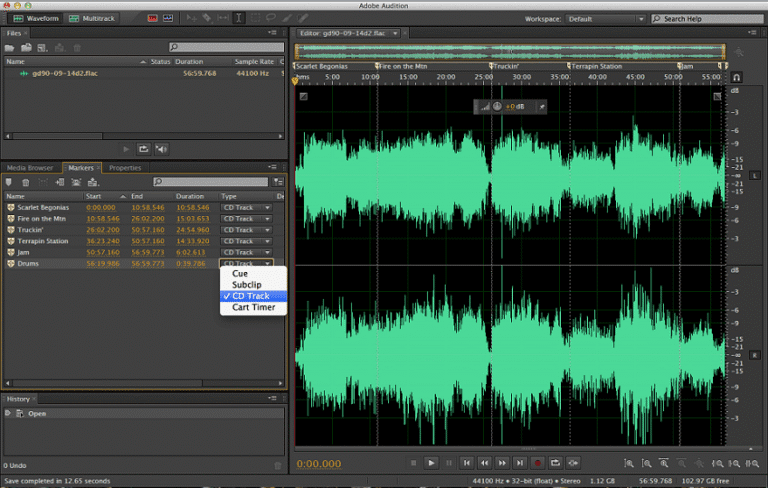
Adobe Audition is often regarded as one of the most powerful audio editing software options available, demonstrating a level of sophistication that appeals to both amateur and professional users alike. Its free trial version provides access to a plethora of professional-grade tools and features that can significantly enhance audio productions. This makes it an attractive option for those looking to dive into audio editing without the immediate financial commitment associated with purchasing the full version.
One of the standout functionalities of Adobe Audition is its advanced audio restoration capabilities. Users can effectively remove background noise, clicks, and unwanted sounds to achieve cleaner audio tracks. This feature is particularly beneficial for podcasters, musicians, and audio engineers striving for superior sound quality. Alongside this, Adobe Audition offers comprehensive mixing features, including a multitrack editor that allows users to overlay multiple audio tracks seamlessly. This capability is essential for those looking to create complex audio compositions or for professionals engaged in film and video production, where syncing sound with visuals is crucial.
The multitrack editing capabilities allow users to manage and edit numerous audio sources simultaneously, providing the flexibility needed for precise audio engineering. Moreover, it’s equipped with an extensive library of effects and presets, empowering users to fine-tune their audio to meet specific requirements. Taking full advantage of the free trial—which typically lasts for seven days—can be instrumental for users to explore the depth of features Audition offers. To maximize the benefits during this limited window, users should focus on mastering key functionalities, such as audio restoration and mixing, to fully appreciate why Adobe Audition is highly regarded in the audio editing community.